
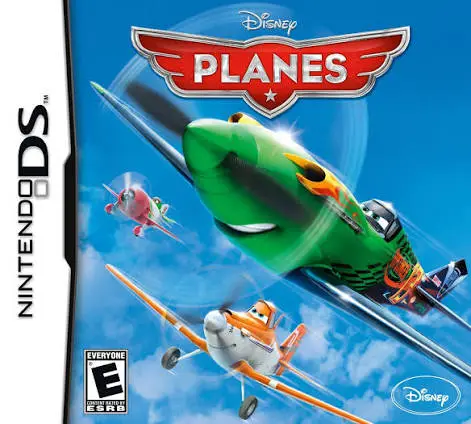
Disney Planes (NDS ROM)
Game Description
Game Overview
In Disney Planes, players take flight on the Nintendo DS in an aerial adventure expanding beyond the storyline of the animated film. Published by Disney Interactive, the game invites players to experience high-flying thrill rides across the globe with Dusty and his flight crew.
The gameplay revolves around controlling various aircraft across ten distinct environments, ranging from Propwash Junction to international race circuits like Iceland, Germany, and India. Players complete story-driven missions, compete in high-speed air rallies, and execute aerial maneuvers—such as barrel rolls, loop-de-loops, and sharp turns—to avoid obstacles and fly through target rings. As players progress, they unlock 10 playable characters from the film, including Dusty, Ishani, Echo, and El Chupacabra, each with unique handling stats and special flight tricks.
Making full use of the dual-screen system of the Nintendo DS, the upper screen provides dynamic flight camera angles, while the lower touch screen displays airspeed radar, target waypoints, stunt execution guides, and flight gauges. Combining forgiving flight physics with colorful cartoon visuals, Disney Planes offers an accessible flight simulation experience tailored for handheld play.
Quick Specifications
Game Title: Disney Planes
Platform: Nintendo DS (NDS)
Genre: Flight / Action / Racing
Developer: Behavior Interactive
Publisher: Disney Interactive Studios
Release Date: August 2013
File Format: .NDS (ROM)
Languages: English, French, Spanish
Control Scheme: D-Pad & Face Buttons / Touch Screen Radar
Key Features
Playable Movie Roster: Fly as 10 iconic characters from the animated film, including Dusty, Bravo, Echo, Skipper, and El Chupacabra.
Global Story Missions: Complete story objectives and air races across 10 film-inspired environments, including Propwash Junction, the Himalayas, and European race tracks.
Multiple Game Modes: Experience Story Mode progression, high-speed Air Rallies, Free Flight exploration, and time trial challenge objectives.
Aerial Stunt Mechanics: Execute barrel rolls, loop-de-loops, vertical climbs, and sharp banking maneuvers using simple button inputs.
Dual-Screen Navigation: Track radar targets, flight meters, and waypoint indicators seamlessly on the lower NDS touch screen.
Frequently Asked Questions (Q&A)
Q: What style of gameplay is featured in Disney Planes on Nintendo DS?
A: The game is an arcade flight action game focused on steering aircraft, completing story missions, flying through target rings, performing aerial stunts, and competing in air races.
Q: Are the controls complex for young players?
A: No, the flight physics are arcade-style and forgiving. Steering is managed smoothly via the D-Pad or buttons, making it easy for younger gamers to control their aircraft without crashing.
Q: Can you explore environments freely in the game?
A: Yes, in addition to structured story missions and air races, the game features a Free Flight mode where players can explore unlocked skyways at their own pace.
Q: Does Disney Planes run properly on NDS emulators?
A: Yes, the .nds ROM file runs smoothly across standard Nintendo DS emulators for PC, Android, and iOS devices, as well as on original Nintendo DS and 3DS systems using flashcards.
Download Resources
Click the links below to go to the cloud drive download page
⚠️ Download Tips:
- Use extraction software (e.g., 7-Zip, WinRAR) to extract the downloaded files
- Put the extracted ISO or CSO files into the ISO folder of your PSP memory card
- Make sure your PSP has custom firmware (CFW) installed